Your plan
Subscription
Total amount
—
Cycle
—
Next billing date
—
Enrolled with another email?
Use the email connected to your existing subscription.
Connecting...
Use your student email to continue.
Enter the student name exactly as it was used when the account was created.
Confirm this student account to continue.
Student name
Age
Enter the four-digit code sent to
OTP valid for 5:00
Please wait a moment...
Your student account is ready.
Choose your country and enter your mobile number.
Enter the 6-digit code sent to your phone.


...
Please contact the Chitran team by WhatsApp or email to confirm your next live class time.
Meet your instructor, learn in real time, and build your next creative milestone.
Official instructor-led session
Loading today’s attendance…
Follow the road to master your art!
Processing & Uploading Artwork...
Please wait while your submission is saved
Upload your assignments or class artworks for teacher grading and global gallery showcase.
Click to upload or drag and drop artwork
Original size & quality preserved · PNG, JPG, HEIC up to 25MB
Browse fileShowing artwork for selected period.
Unlock your achievements by completing tasks and milestones on the platform.
Your earned badges and the milestones waiting ahead in Course.
Review assignments and teacher feedback.
No assignments available for this period.
Click any student artist to view their profile, badges, and artworks.
Evaluations, community activity & class updates
New activity will appear here.
0% complete
A complete profile helps your teacher recognize and support you better.
Activity records for Student · Verified class participation
Filter your attendance records by start and end date.
Chronological pattern of session join times across active periods.
No verified live-class attendance was recorded for the selected period.
Manage your plan, payment method, and invoices.
Loading secure billing details…
Checking your subscriptions
BILLING VERIFICATION
We found billing records for this email. Verify it once to securely view the subscription, payment methods and receipts.
CURRENT BILLING VIEW
This account is on a Trial Plan, not your plan.
Your plan
Total amount
—
Cycle
—
Next billing date
—
Enrolled with another email?
Use the email connected to your existing subscription.
Customer details
Billing contact information for this subscription.
Payment methods
Your saved payment method for subscription renewals.
Invoices
Receipts and payment records for your subscription.
No paid receipts found
Update your student account details and information
Evaluation, appreciations, and comments
Scanning student face and artwork...
Starting Camera...
You must complete the previous lesson's artwork to unlock this class.
Account notice
This feature is available with an active plan.
Use the email address associated with your checkout.
Everything you need to navigate your learning portal.
Welcome to Chitran International Online Art Classes! This guide introduces your learning environment, core navigation, and how to get ready for your art journey.
Your central learning dashboard is your daily creative launchpad. Right upon logging in, you will find:
Move seamlessly across the portal on any device:
All class schedules and countdown timers automatically sync with your selected timezone. To ensure class times match your clock, verify your timezone in your Profile or directly on the Join page.
Get ready before your teacher starts the lesson:
Here are detailed instructions on how to join your live classes, capture high-quality artwork photos, submit assignments, and review teacher feedback.
Follow these steps to attend your scheduled class:
If your schedule does not show or you need to change your time slot, click the Send schedule request button on the Join screen. This will automatically format a WhatsApp request with your name and student email for our support team.
Once your drawing or painting is complete, submit it for your teacher's grading and feedback:
Review all your artworks, scores, and evaluations:
If your teacher requests a correction:
Celebrate your creative growth, earn Art Coins and badges, share artwork with peers globally, and track your achievements.
Connect and interact with student artists worldwide:
Stay motivated with fun creative rewards:
Level up from Apprentice to Master Artist as you submit drawings and complete milestones. Check the monthly student leaderboard to see how your creative dedication compares with fellow students.
Click the bell icon on the top bar to review your latest updates in real time: teacher grades, feedback remarks, artwork comments, replies, and upcoming class alerts.
Manage your profile details, keep contact info current, review active course subscriptions, and manage receipts.
Keep your profile current in Profile:
In the Billing section, view your course subscription details:
Download past invoices and receipts for your records. You can also configure an Alternate Billing Email (e.g. parent or guardian email) with secure 6-digit OTP verification, ensuring invoices and payment notices reach parents directly.
Have questions about class times, billing, or portal features? We are here to help!
Welcome to Chitran International!
Use the dashboard to check your next class, score, submissions, corrections, badges, and level progress in one place.
Open Live Classroom to see your class schedule, countdown, and join button. Please join 5 minutes early.
Select the correct timezone from your profile or Live Classroom area so your class time shows correctly.
Upload a clear photo of your artwork from Submit Artwork. Add a short note if your teacher needs context.
Check your submitted artwork, teacher feedback, scores, and approval status from the gallery and feedback areas.
If your teacher requests a correction, open the correction item, fix the artwork, and upload the updated version.
Follow your badge, coin, and level progress to understand how you are improving through the course.
Keep your profile details, country code, WhatsApp number, and timezone updated.
Need help? Contact Admin on WhatsApp.
Uploading...
Upload your work for this assignment.
Tap to upload
Upload the fixed version.
Tap to upload
Just a few details to make your art classes feel like yours.
Approved Student Examples
Both face and artwork visible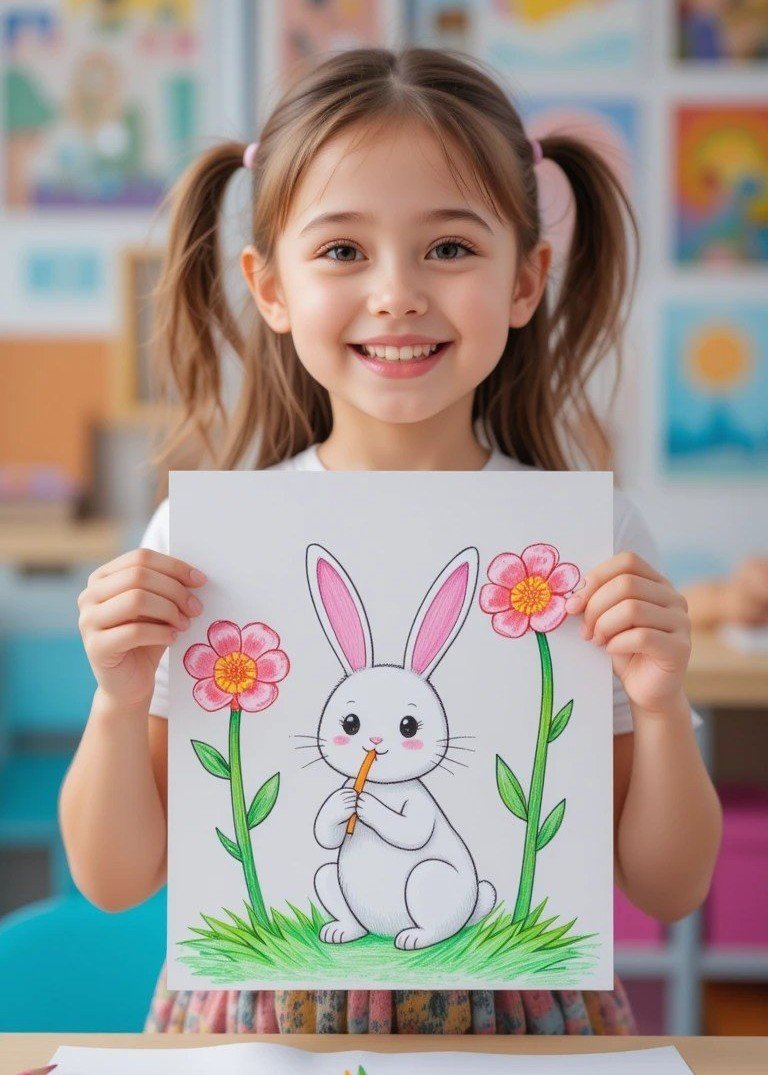
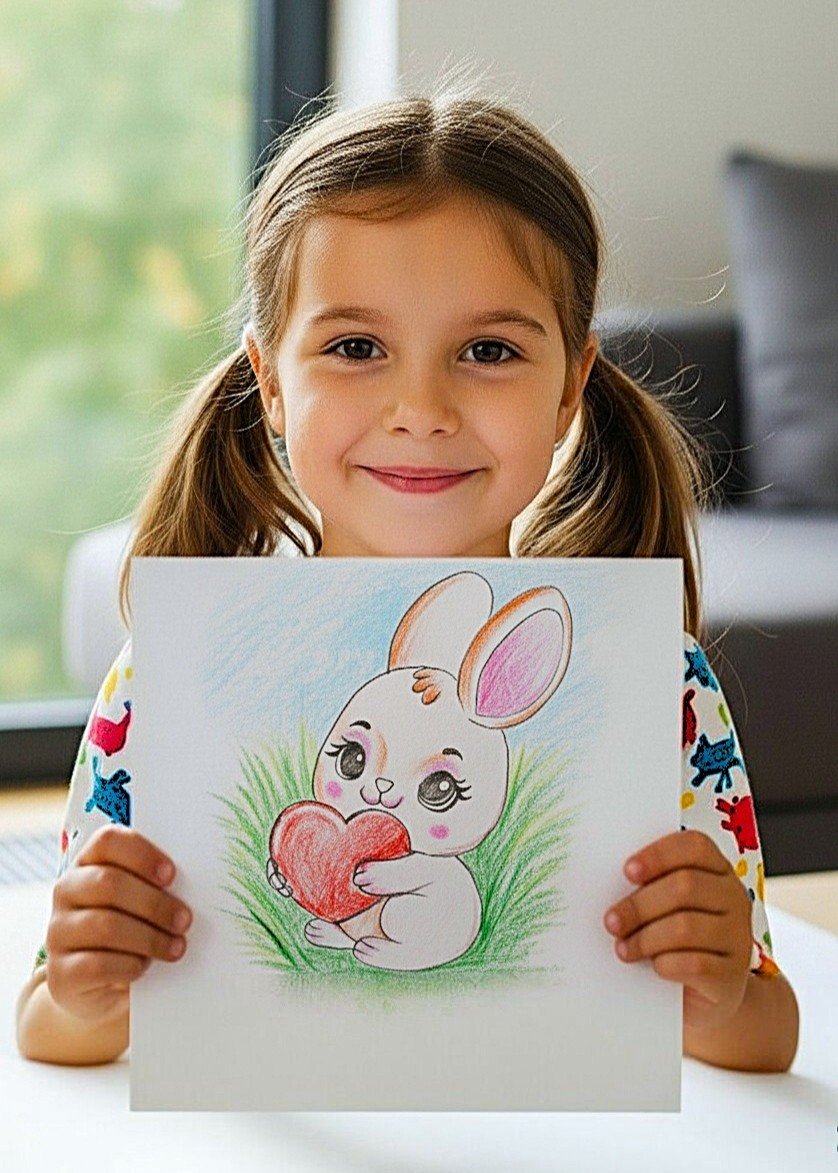


Key Photo Requirements
Select the student account that belongs to you.
Didn’t find your account? Get help on WhatsApp
Are you sure you want to securely log out of your student portal?
You have no pending corrections right now. Keep up the good work!
Type your question and tap Send. Press Enter to send, or Shift + Enter for a new line.
Swipe a message left or right. Its preview appears above the message box. Tap × to cancel the reply.
Press and hold a message to choose a reaction. Tap + for more. Choose the same reaction again to remove it.
Tap the paperclip, choose Image or Document, review the preview, then tap Send. Tap an attachment in chat to preview it.
One check means sent. Two checks mean read. The header shows when the team is online.
Loading student artwork feed…
Preparing community posts
No artwork posts found
New student creations will appear here automatically.